Notifications - Console
 Updated 2 weeks ago
by
admin
Updated 2 weeks ago
by
admin
Using the Notifications tab, you can choose which email addresses receive account updates and service notices.
In the console, click Settings (the cog icon at the bottom of the left-hand menu) and open the Notifications tab.
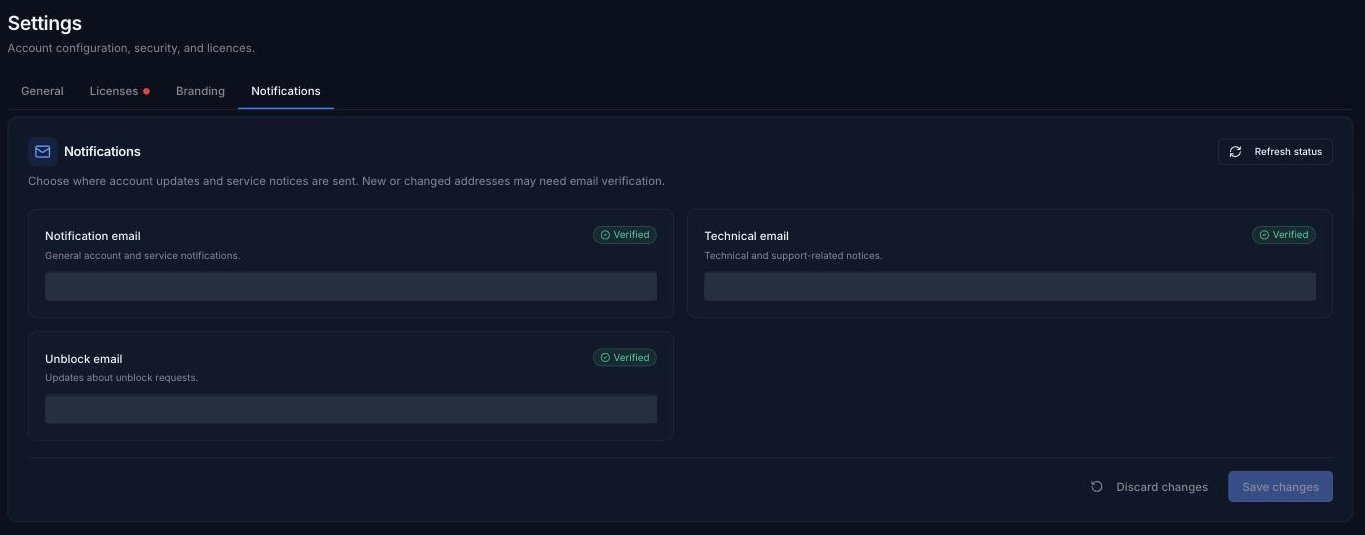
- Notification email: general account and service notifications.
- Technical email: technical and support-related notices.
- Unblock email: updates about Unblock Requests.
Once you've made your changes, click Save changes (or Discard changes to undo them).
New or changed addresses may need email verification. Each address shows Verified once it has been confirmed. Click Refresh status to check for newly verified addresses.
The separate Maintenance and Log Archive notification addresses from the old dashboard aren't shown here. Please check or change them in the USS Dashboard.