How to access the CEA as a User
 Updated 8 months ago
by
admin
Updated 8 months ago
by
admin
TrustLayer has two Compliant Email Archive (CEA) environments, UK and EU. Accessing your tenant will depend on the environment you have been provisioned on.
How to confirm which environment you have been provisioned on.
You can easily check which CEA you have been provisioned on by checking the license on your USS dashboard or accessing the CEA admin section from the USS dashboard.
License
Navigate to Settings, Licenses.
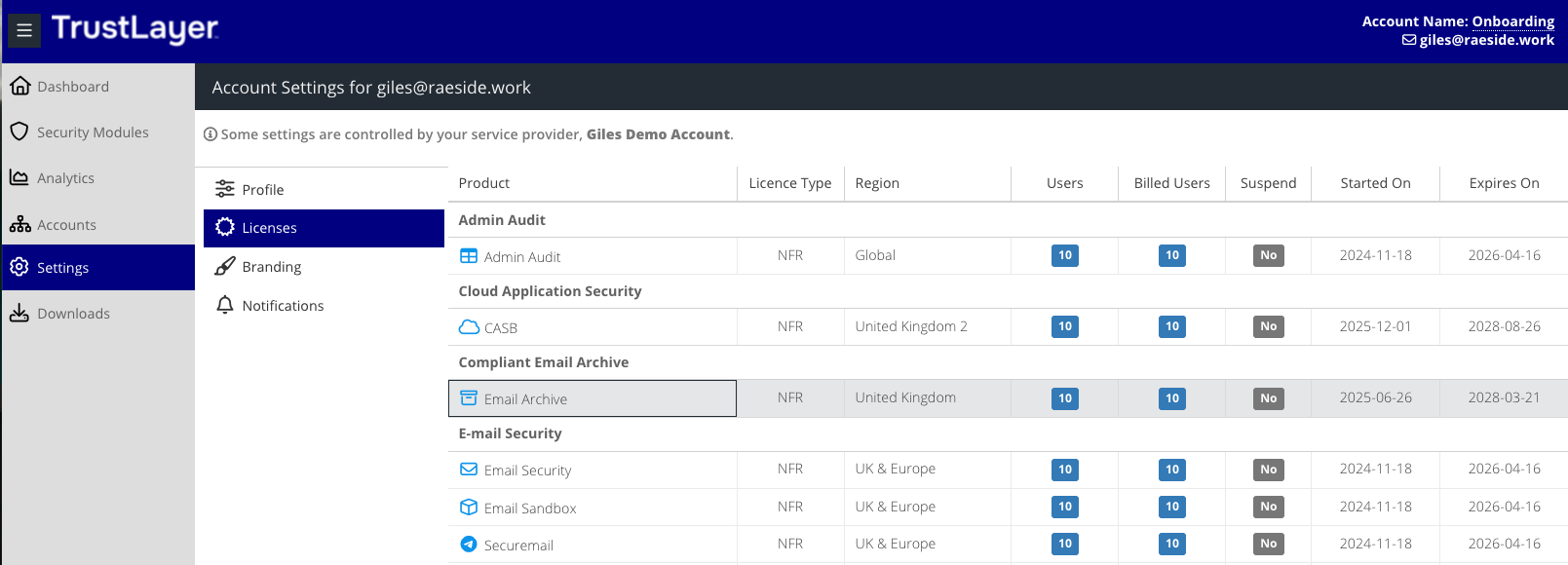
CEA admin dashboard.
Navigate to Security Modules, Compliant Email Archive.
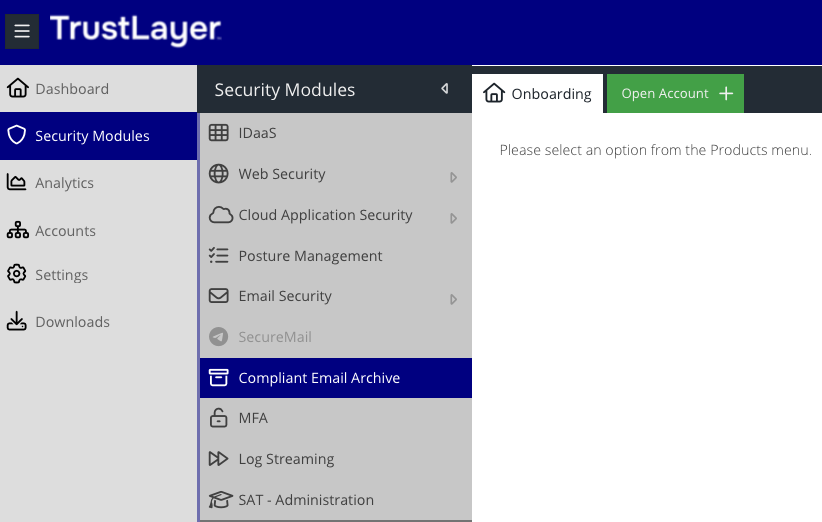
When the new dashboard opens, the URL path will display either:
UK - https://uk.archive.clouduss.com/
EU - https://archive.clouduss.com/
How to confirm your Company TAG.
Once in the CEA admin Dashboard, navigate to Basic Configurations, Company Settings, then under the Company Tag section, you will find your Company Tag.
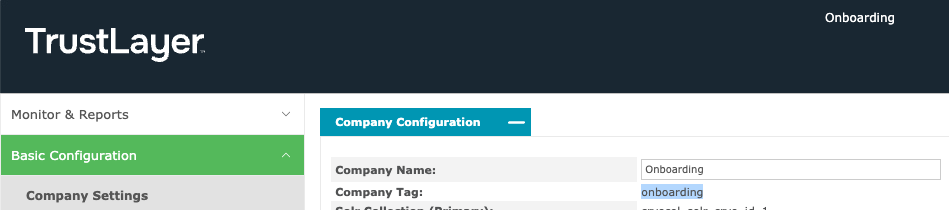
How to access the UK environment.
UK Environment: https://<companytag>.outlook.archive.uk.clouduss.com/user/login
How to access the EU environment.
EU Environment: https://<companytag>.outlook.archive.eu.clouduss.com/user/login