How to find an email's message reference (GUID)
 Updated 2 weeks ago
by
admin
Updated 2 weeks ago
by
admin
What the GUID is
Every email that passes through TrustLayer Email Security gets a unique message reference, called a GUID. It looks like this:
ef21a970-d921-48e7-957d-93cc4ea1763b
It is 32 letters and numbers in five groups (8-4-4-4-12), separated by hyphens. With the GUID, our support team and support chat can find the exact message straight away and tell you which rule delivered, quarantined or blocked it. Without it, we have to search by sender, recipient and time, which takes longer.
Email logs are kept for about one month, so look up the GUID soon after the message arrived.
Find the GUID in the USS portal (administrators)
You need administrator access to your organisation's USS portal at dashboard.clouduss.com.
- Sign in to the USS portal and select Analytics.
- Under Reports & Charts, open Email Security, then Email Activity.
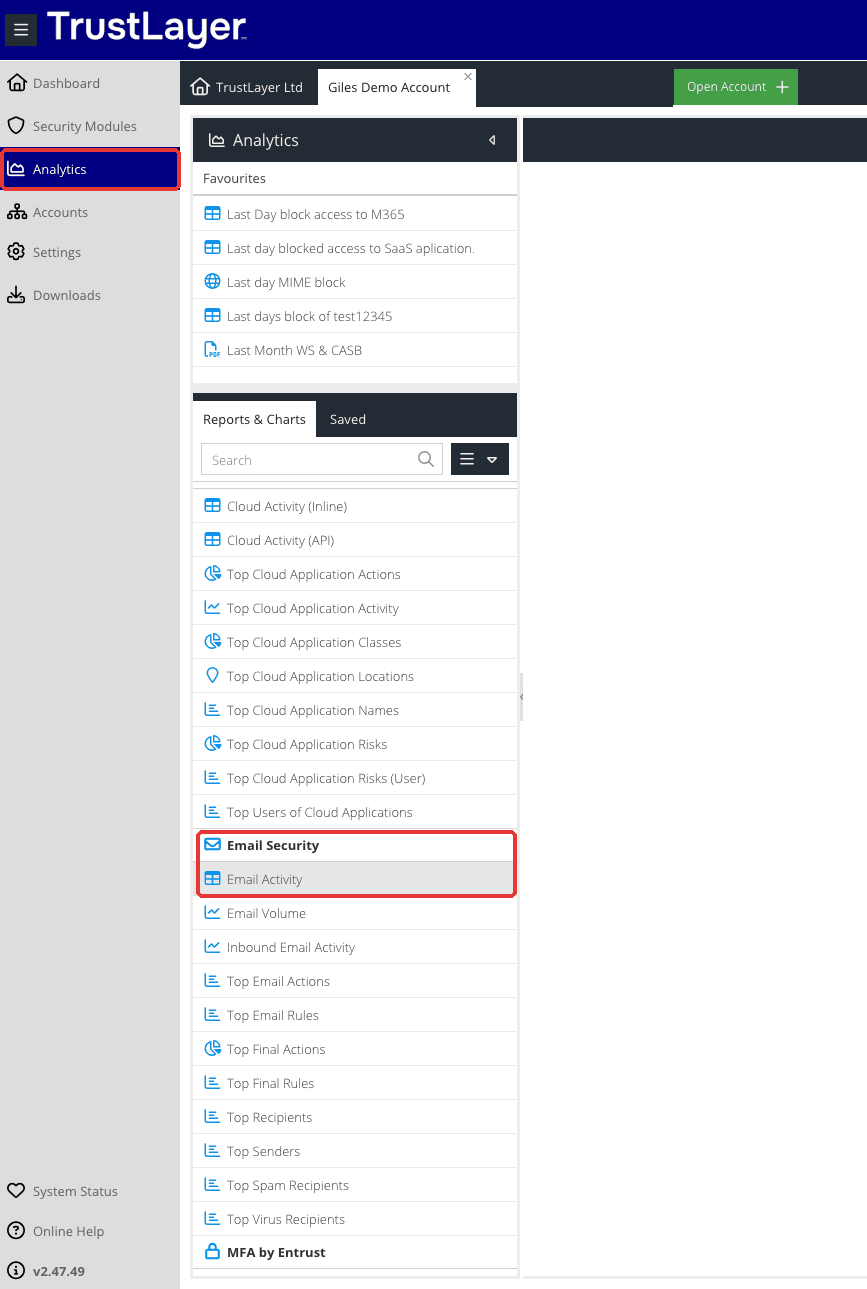
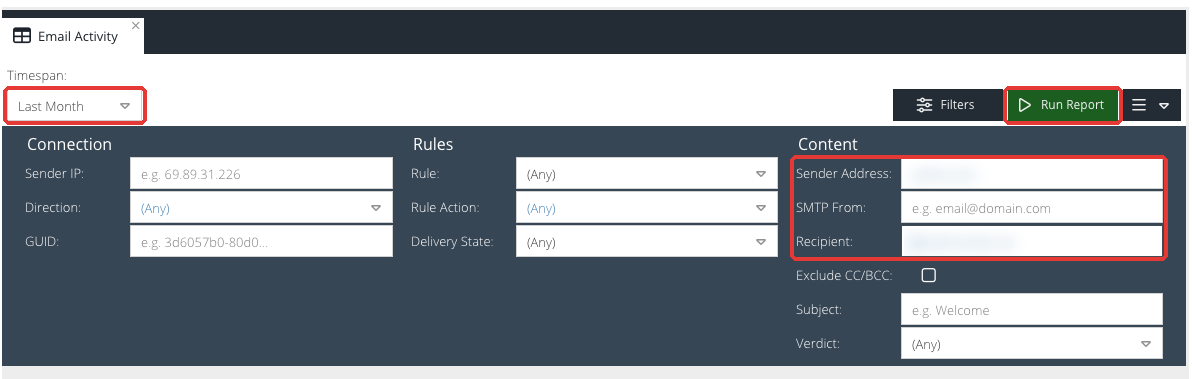
- Set Timespan to cover when the email was sent, for example Last Day or Last Week.
- Narrow the search under Content: enter the Sender Address (a full address or just the domain), the Recipient, or part of the Subject.
- Select Run Report.
- Find the message in the results. The Final Rule and Final Action columns show what happened to it.

- Open the message's details from the icon at the end of the row. The GUID is shown in the message details. Copy it from there.
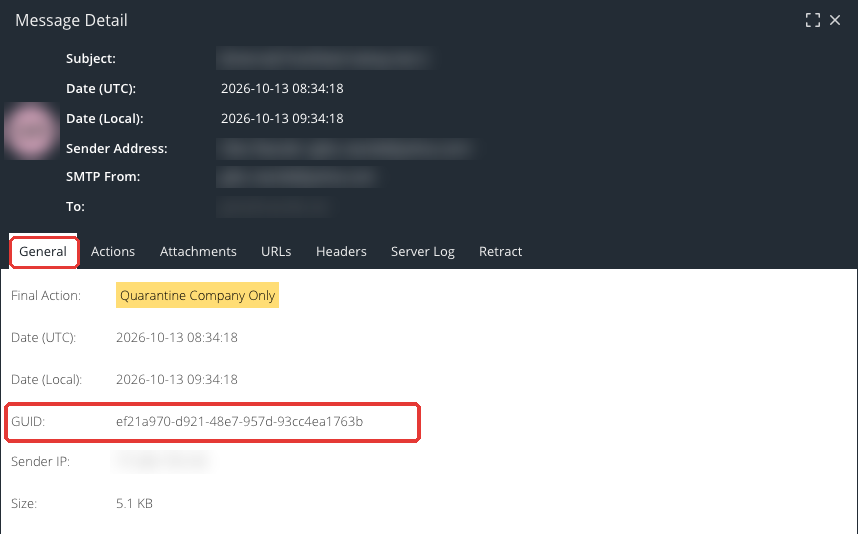
If you already have a GUID, you can paste it into the GUID filter on the same report to go straight to that message.
If you can't find the GUID
If you're not a USS administrator, or the message isn't in the report, we can still look it up from the details below. Send as many as you have:
- Sender: the sender's email address, or at least their domain.
- Recipient: the address the email was sent to.
- When: the date and rough time it was sent.
- Subject: the subject line, or part of it.
- Screenshot: a screenshot of any quarantine notification or rejection message you received.
Send the GUID to support
- Support chat: paste the GUID into the chat when you get in touch.
- Email or ticket: put the GUID in the subject or the first line, for example, "GUID ef21a970-d921-48e7-957d-93cc4ea1763b – quarantined invoice from supplier". Include one GUID for each message you're asking about.