USS Agent failing to register with a USS Tenant - Console
 Updated 2 weeks ago
by
admin
Updated 2 weeks ago
by
admin
Connection to the cloud failed.
This error can be caused by MFA being enabled on the account being used to register USS Agents to your tenant, or the Username and Password being incorrect.
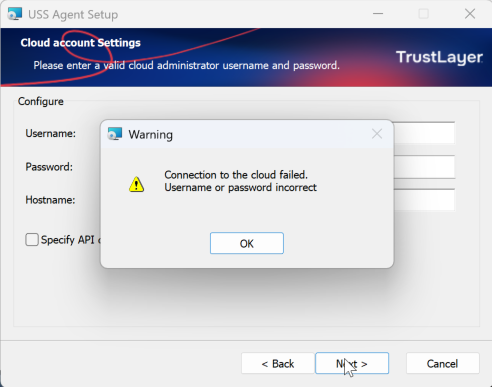
To confirm the Username and Password are correct, try to sign in to the TrustLayer console with them. If the sign-in fails, the credentials are wrong. If you are asked for a verification code, MFA is enabled on this account.
Because the USS Agent cannot respond to the MFA request, the registration will fail. To resolve this, create a dedicated Agent Installer administrator account and use it only for agent registrations.
Creating an Agent Installer account
- In the console, click Administrators in the left-hand menu, then click Add.
- Enter a Full name and Email address, choose the Agent Installer role and click Add user. The new administrator is sent an email verification link to activate the account.
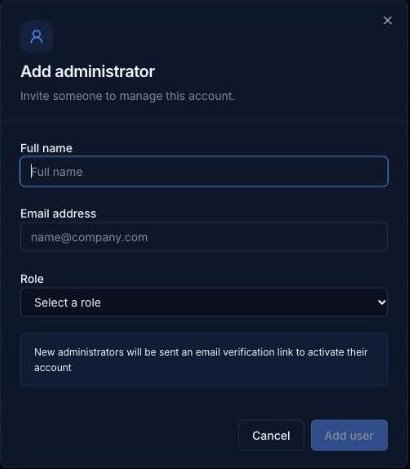
- Once the account is verified, click the ⋯ button in its Settings column, tick API only access, enter your own password and click Save settings. The account can then register agents but cannot sign in to the console.
Use this account for agent registrations. You should now be able to register a USS Agent to your tenant.