SaaS Catalog (App Catalog) - Console
 Updated 2 weeks ago
by
admin
Updated 2 weeks ago
by
admin
The SaaS Catalog (previously the App Catalog) is a database of cloud applications and their related actions. Use it to understand the profile of a cloud app, to choose which app actions are tracked for your users, to change the risk level of actions to suit your own requirements, and to mark apps as Sanctioned. The SaaS Catalog is also used by the rules engine and by Analytics for controlling and analysing applications.
Navigating the SaaS Catalog
In the console, go to Browse ⟶ SaaS Catalog.
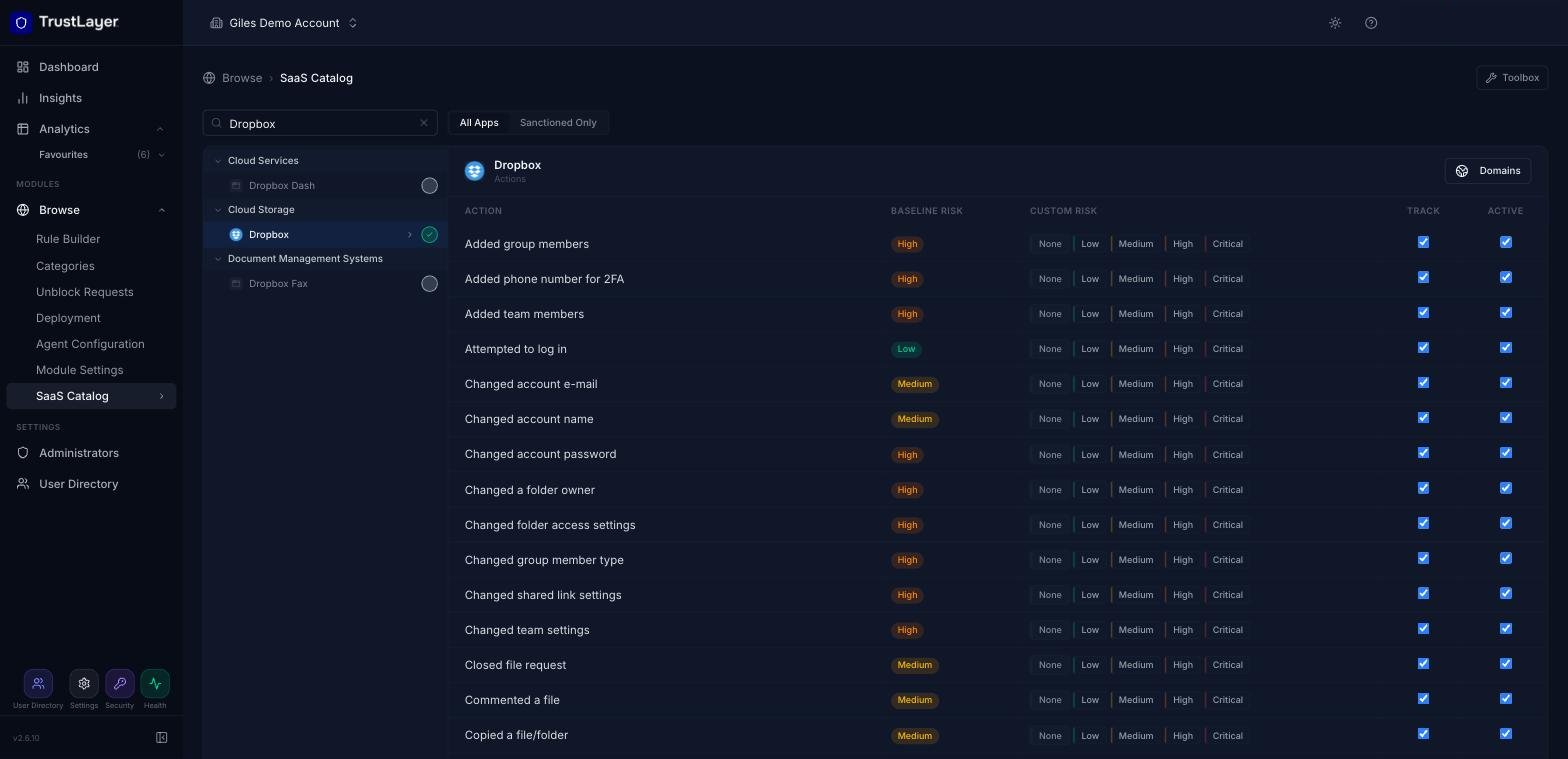
The catalog tree on the left groups apps by class (for example Cloud Storage or Artificial Intelligence Software). Click a class to expand it and see its apps. To find an app quickly, type in the Search apps box. Use All Apps / Sanctioned Only at the top to switch between the full catalog and your sanctioned apps.
Click an app's name to see its details, including every action that can be monitored.
Sanctioning an app
Click the circle to the right of an app's name to mark it as Sanctioned (it turns green with a tick). See Managing Sanctioned Apps.
App Actions and customisation
Every app in the catalog has a number of actions. An action represents something a user can do in the app, for example "Uploaded a file" or "Attempted to log in". The number of actions depends on the app's complexity and popularity.
The actions list shows every action for the app, with these settings:
Action
A short description of the action. It is also shown in the Specific SaaS match in the Rule Builder.
Baseline Risk
The risk attributed to the action, based on its potential to cause a security issue, a data leak or reputational damage.
Custom Risk
If the baseline risk doesn't suit your organisation, click None, Low, Medium, High or Critical to override it. This updates related risk charts and reports.
Track
Decides whether data submitted to the app is collected. This may include personal statements, message content and file metadata. Untick Track to make sure content posted to the app isn't available in reports.
Active
Untick Active to exclude the action from reporting entirely.
Domains
Click Domains (top right of the app's details) to see the domains associated with the app.
Using the SaaS Catalog in reporting
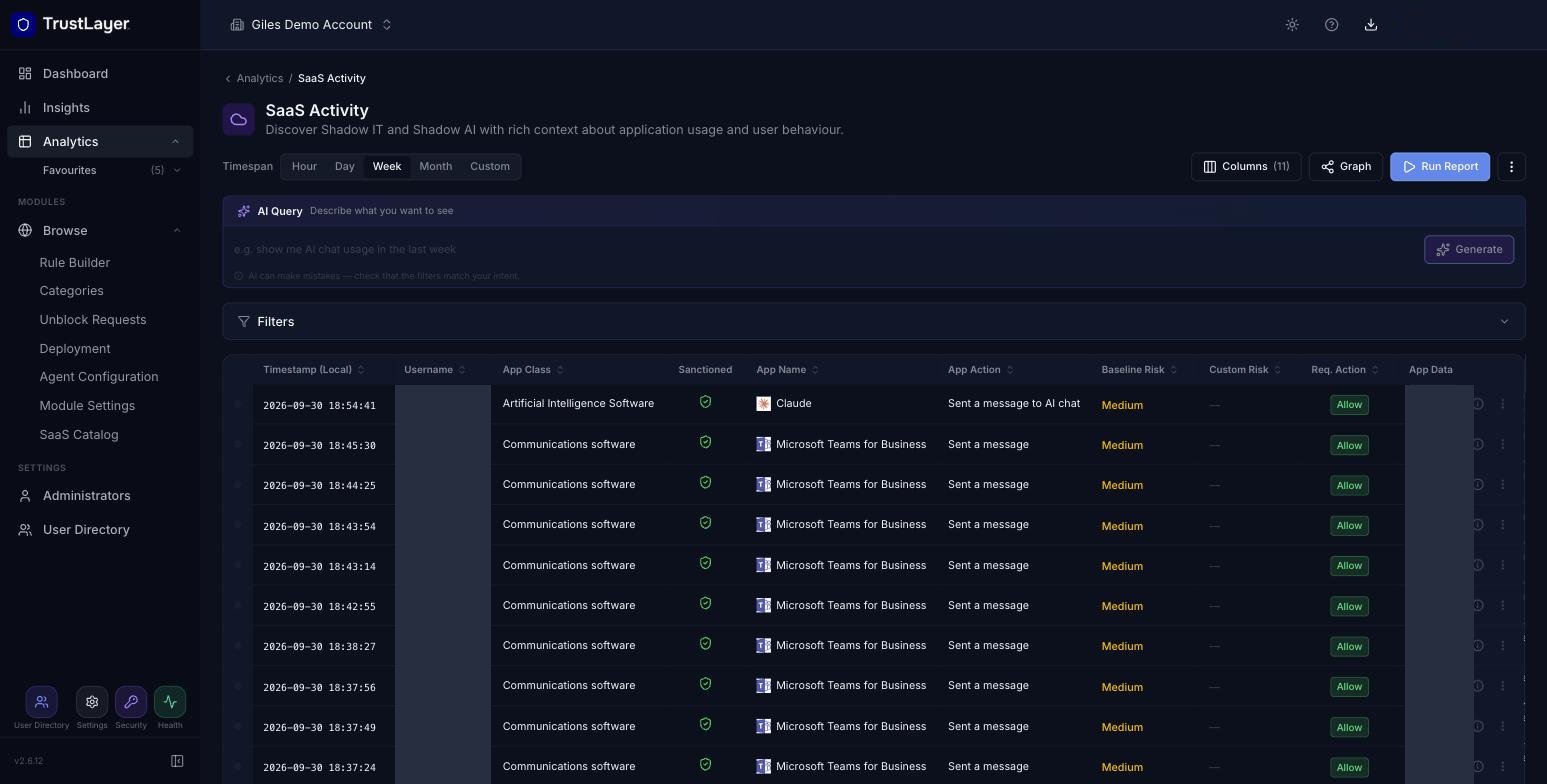
App activity is reported in Analytics ⟶ SaaS Activity, which shows the app class, app name, action and risk for each event.