Upgrading the USS agent from the v3.x release to the v4.x release - Console
 Updated 2 weeks ago
by
admin
Updated 2 weeks ago
by
admin
The advice on this page only applies to customers running older versions of USS Agent for Windows (with a version number lower than
4.0).You can use the automatic update feature to upgrade the USS Agent version from v3.x to v4.x, however as this is a major release it has its own URL. You will need to manually update this URL in your agent profiles to update all the agents on your network.
- In the console, go to Browse ⟶ Agent Configuration and open the Windows tab.
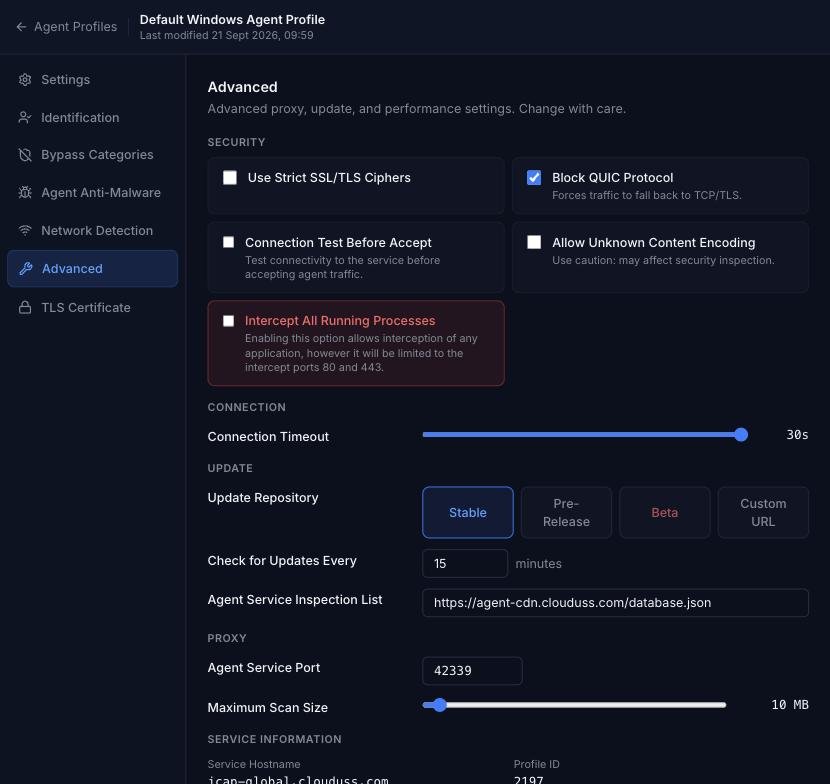
- Click the settings (cog) icon next to the profile you want to update and open the Advanced section.
- Under Update Repository, select Custom URL and enter:
http://cl-update.cloudwebfiltering.com/usswin4/config.xml
- Click Apply Changes.