USS Agent failing to register with a USS Tenant
 Updated 6 months ago
by
admin
Updated 6 months ago
by
admin
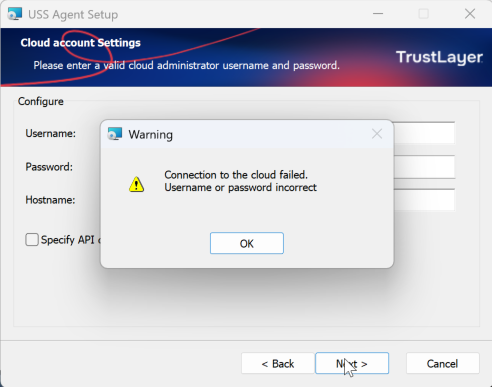
Connection to the cloud failed.
This error can be caused by MFA being enabled on the account being used to register USS Agents to a USS tenant, or the Username and Password are incorrect.
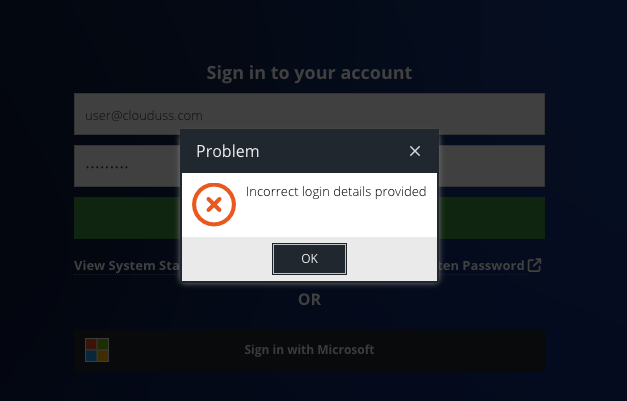
To confirm if the Username and Password are correct, try to log in to the Dashboard. If you get the below error, then your credentials are wrong.
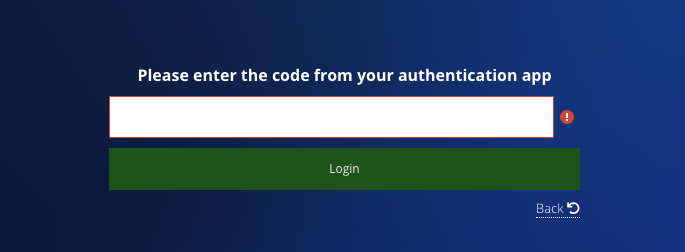
If you receive this screen, then MFA is enabled on this account.
Often, this is due to forcing MFA on the account in the administrator's settings:
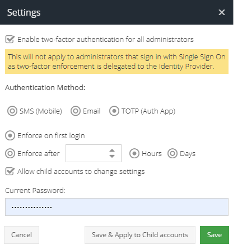
Because the USS Agent can not respond to the MFA request, the registration will fail. To resolve this, we recommend creating a “Agent Installer” admin account.
Creating a new account
Create a new Administrator account and assign the role of "Agent installer".

Once you have created the account, click the three dots next to the user on the administrators page

Tick the box allowing API access only:
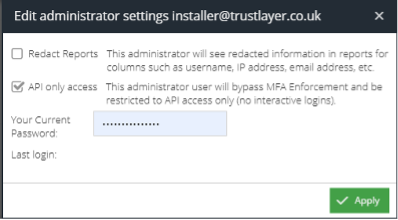
Use this account for agent registrations; it will not have direct access to the dashboard. Now you should be able to register a USS Agent to your USS Tenant.