Troubleshooting Web Security Filter Rules - Console
 Updated 2 weeks ago
by
admin
Updated 2 weeks ago
by
admin
Troubleshooting rules
This article gives some common tips for troubleshooting Web Security rules in the Rule Builder (previously called Filter Rules).
Step by Step Guide.
Checking Reports
The first step is to check Analytics ⟶ Web Activity. Choose a timespan, add a filter for the website's URL or domain, and click Run Report to see why it was allowed or blocked.
Be as specific as you can (user, device, time) to find the blocked/allowed request. The Filter Rule column shows which rule handled each request.
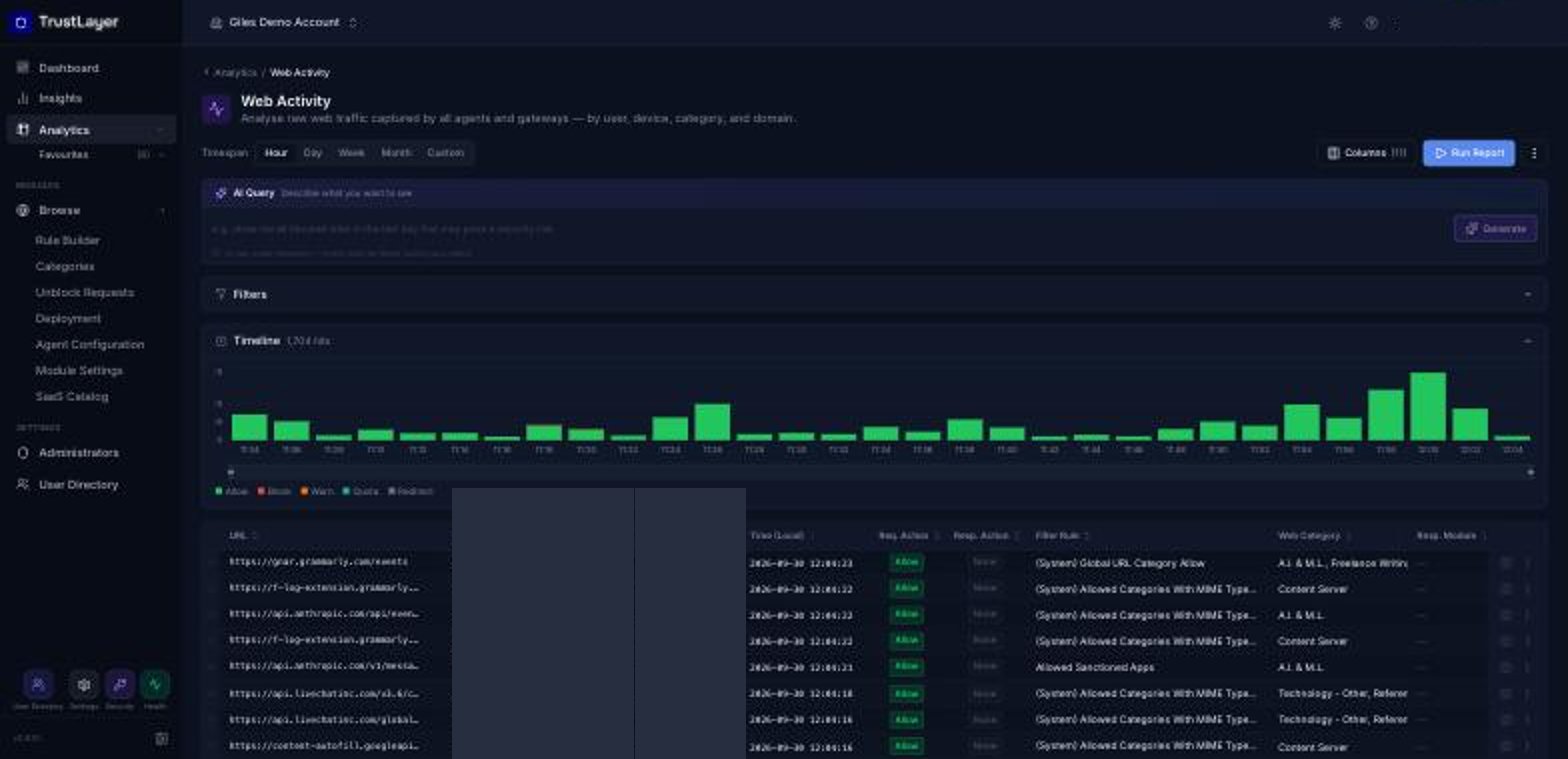
Click the ⓘ icon at the end of a row for full details of the request, or the ⋮ menu and Open Rule... to go straight to the rule that handled it. Use Columns to show or hide columns.
Once you have determined which rule blocked/allowed the URL, you can then address the rule itself or the associated filters.
Troubleshooting the rule
- Verify the rule you want to apply is currently applying to the correct users/groups/devices, is enabled and contains the relevant web category / custom URL category / keyword category.
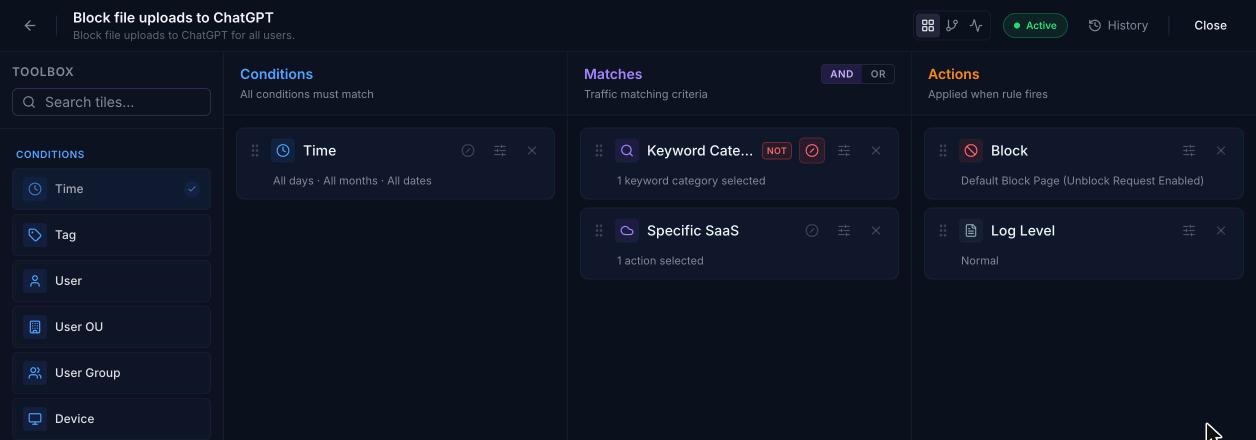
- Rules are looked up in order, starting from rule number 1, and the rules engine stops processing further once a rule is triggered. It is important to check the reports to identify any rules which could be applying first. If you want a different order, drag the rule by its handle (⋮⋮) in the Rule Builder list to change its priority.
Here is an example of a properly configured rule order: An Allow rule allowing a few specific sites and then anything not matched by that rule will be picked up by the following rule

- Make sure the Custom URL entries are correct. See Custom URLs for the approved formats
domain.com/ to just domain.comURL should be Blocked, but it isn't
If a URL should be blocked and it is still accessible despite rules being in place and correct, please make sure it is not being bypassed. If a URL is bypassed, it will prevent the site from being logged in the reports and will prevent any filter rules from applying to it. Read more about Bypass Categories.